

Introduction
MySQL database can get corrupted or damaged for several reasons, such as faulty hardware, bugs in MySQL software, sudden server crashes, etc. While trying to open a corrupt database, you may encounter errors like “Got error ### from table handler," “Unexpected end of file”, etc. Sometimes, you’re not even able to open or access the database file. In such a situation, you need to repair the corrupt MySQL database as soon as possible. In this article, we will discuss how to repair a MySQL database using the phpMyAdmin tool.
What is phpMyAdmin in MySQL?
phpMyAdmin is a free, open-source web-based tool that you can use to manage MySQL and MariaDB databases. It helps you perform various database management tasks, like creating databases and tables, executing SQL commands, importing and exporting MySQL data, and more. You can even use it to repair and optimize MySQL databases. You can access phpMyAdmin using the XAMPP application on Windows. In the XAMPP Control Panel v3.30, select MySQL and click Admin. On clicking it, you will automatically be redirected to phpMyAdmin.
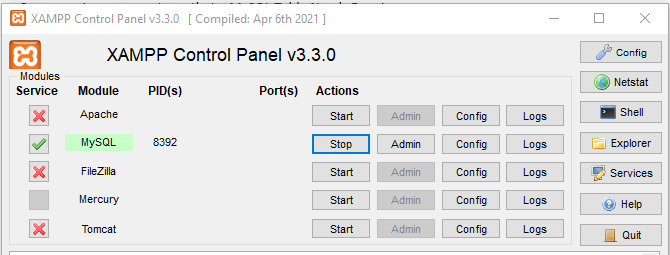
Alternatively, you can open phpMyAdmin in cPanel by clicking Databases and then selecting phpMyAdmin.
When should you repair MySQL Database/Tables?
You may need to repair MySQL database/tables when:
- Website or application returns database errors, like 'Table ... is marked as crashed and should be repaired.'
- When running a query on a table, it displays Table- doesn’t exists, error 1034: index for table is corrupted, or similar errors.
- You see the status of the table in the table list as in use or crashed (using phpMyAdmin).
- When you run the CHECK TABLE command on the table, it returns an error.
How to Check MySQL Tables for Corruption in phpMyAdmin?
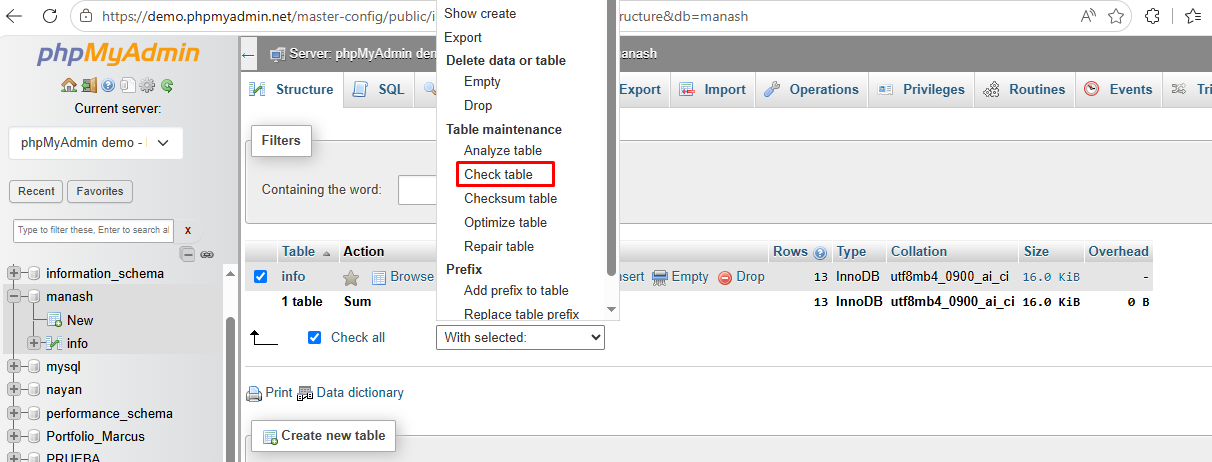
You should first confirm whether the table is actually corrupted or not. For this, you can use the CHECK TABLE option in phpMyAdmin. Follow these steps:
- From the database list, double-click on the database and then select the required table that you want to check.
- Next, from the 'With selected' dropdown, select the Check table option.
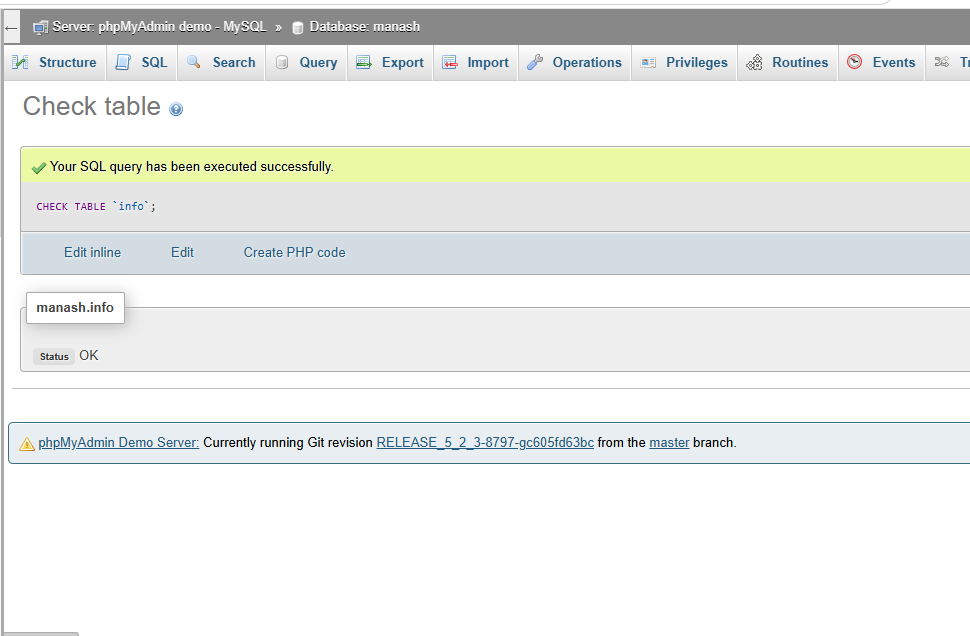
If the MySQL table is readable and free from corruption, then you can see the status OK under the table name.
Methods to Repair MySQL Database using phpMyAdmin Tool
If you've confirmed corruption in tables in the MySQL database, first try to restore the backup. To do so, follow these steps:
- On the left side of the phpMyAdmin interface, select the desired database that you want to perform an import on.
- Click the Import option and then click Choose File to select the dump file.
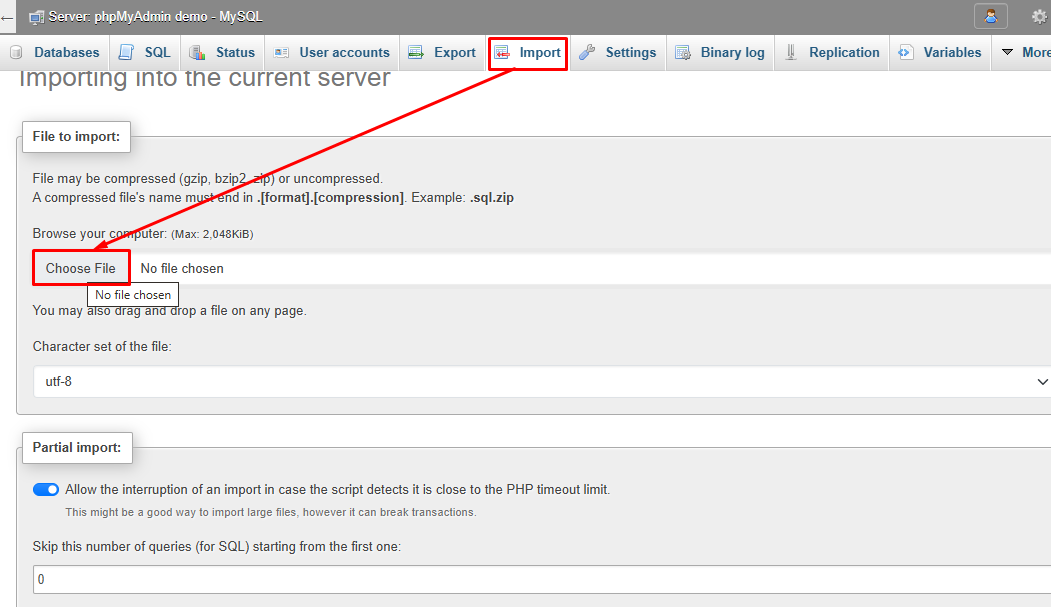
- Click the Import option. It will start importing the dump file and display the success message.
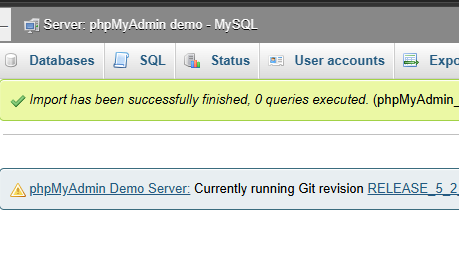
The import option in the phpMyAdmin tool helps to restore MySQL backups. It supports both InnoDB and MyISAM tables. The restore process may fail if you're trying to restore a large database file. If it fails or you don't have a backup (dump) file, then follow any of these three methods to repair a MySQL database in phpMyAdmin.
Method 1 – Use Repair Option in phpMyAdmin (GUI Method)
If the corrupted table is created using the MyISAM storage engine, then you can use the tool’s repair option. It helps when the indexes are corrupted or your MyISAM tables become inaccessible due to corruption. Follow these steps to repair tables:
- In the phpMyAdmin tool, click on Databases.
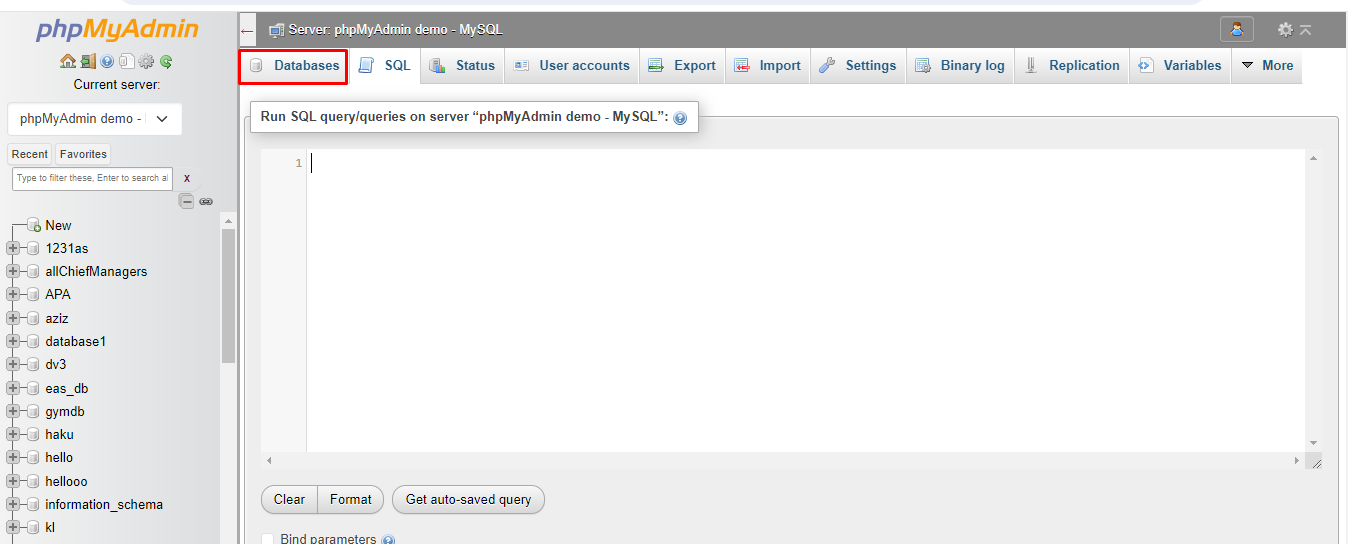
- Under the Databases section, you will see a list of all the MySQL databases.
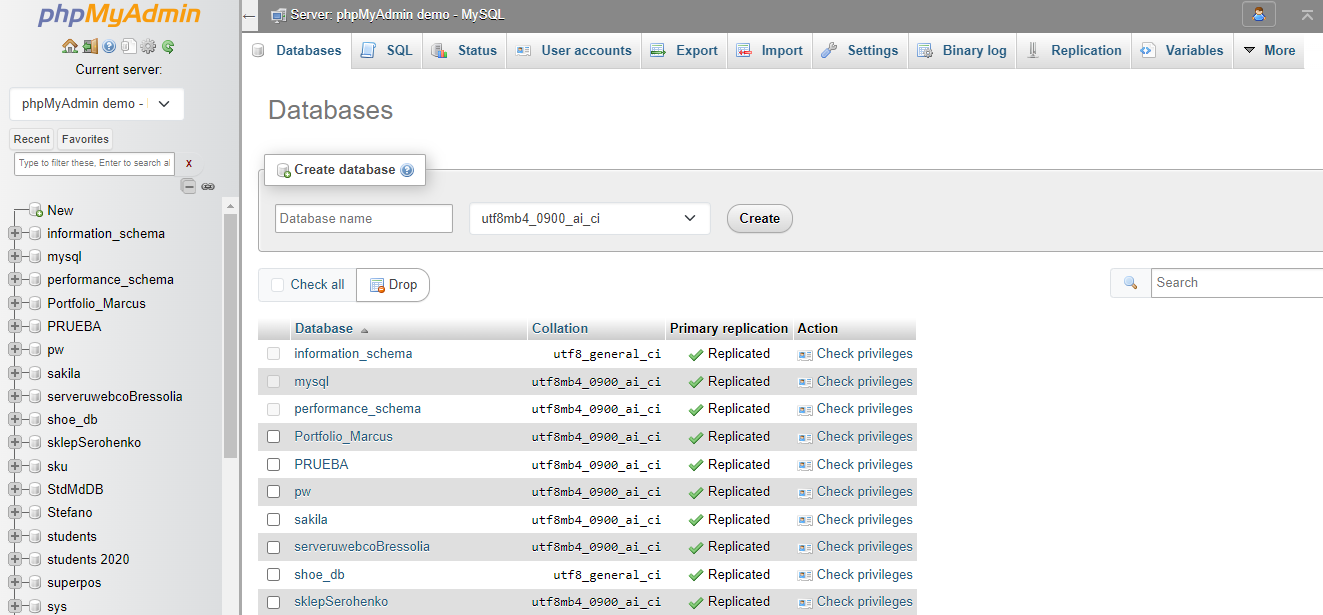
- Click on the affected or corrupted database. This will open a list of all the tables in the MySQL database. Select the Check All option to select and repair all the tables.
- Click on the With selected dropdown button and then select the Repair table option.
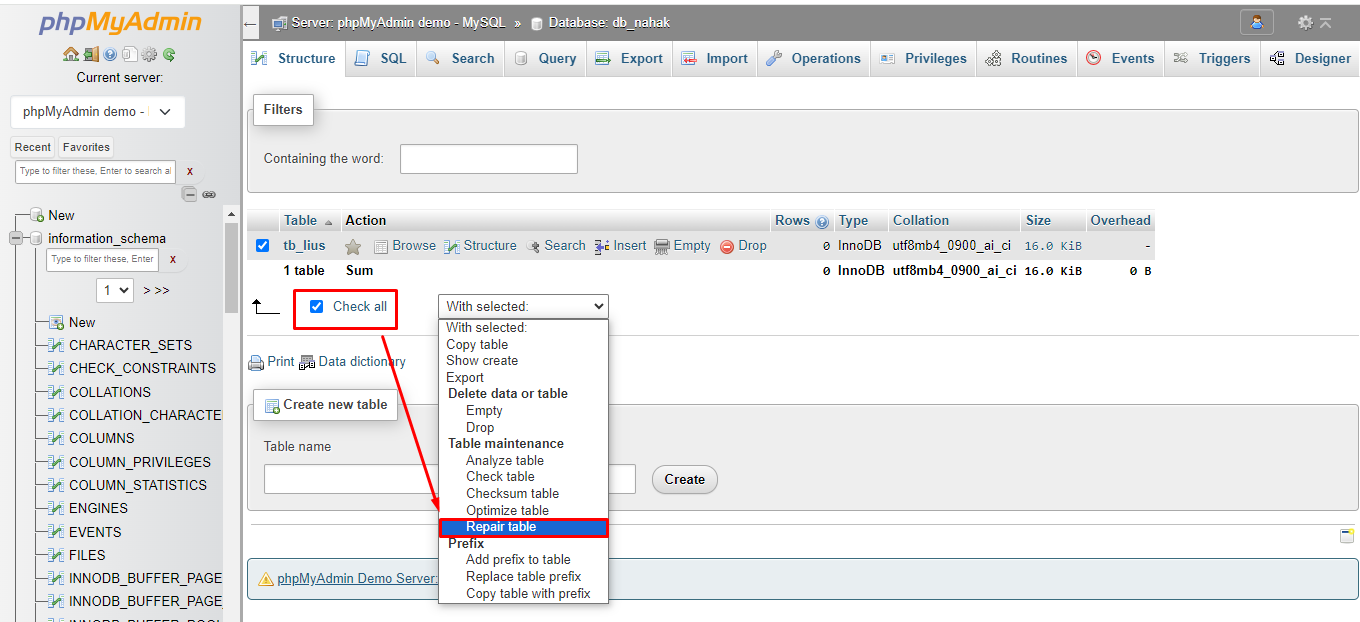
- This will start repairing the MySQL tables. Once the repair process is completed, you will see a message indicating that the database tables have been repaired successfully.
Method 2 - Repair MyISAM Tables using the SQL Query
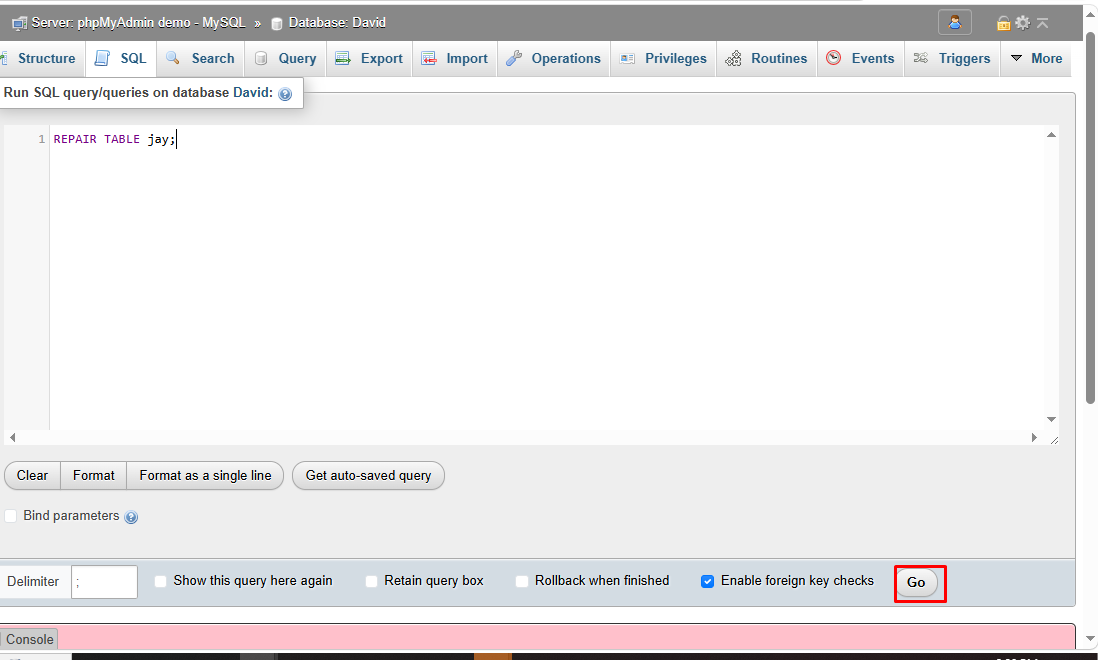
You can also repair corrupted MyISAM tables directly via the SQL tab in phpMyAdmin. This helps when the GUI repair option fails to resolve the issue. By running a SQL command, phpMyAdmin instructs MySQL to rebuild the table indexes and restore data. Steps are as follows:
- In phpMyAdmin, click the SQL tab.
- Enter this command.
REPAIR TABLE jay;
Here, jay is the table name.
Method 3 - Repair a Single Table via the Operations Tab
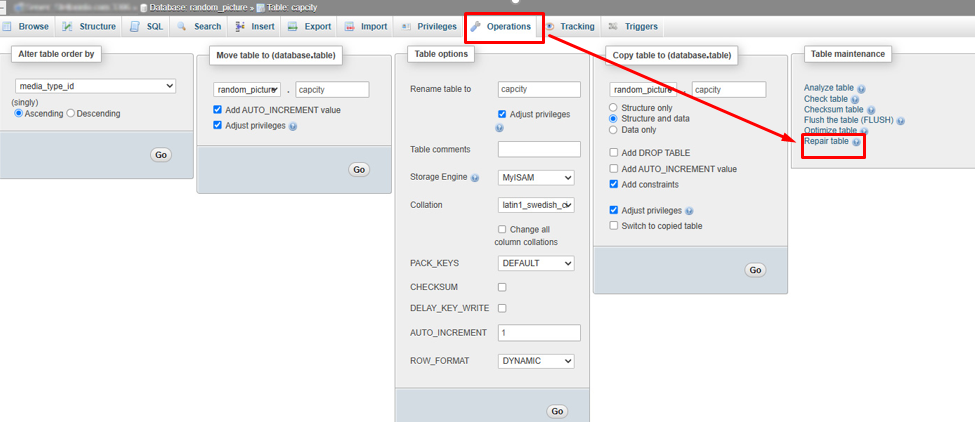
Another method to repair a MySQL database table is by using the Operations option in phpMyAdmin. It allows you to repair a single table and doesn't require you to select the “With Selected” dropdown. Steps are as follows:
- In phpMyAdmin, from the left panel, click on the database and then select the affected table.
- Click the 'Operations' tab in the top menu, under the 'Table maintenance' section, and click Repair table.
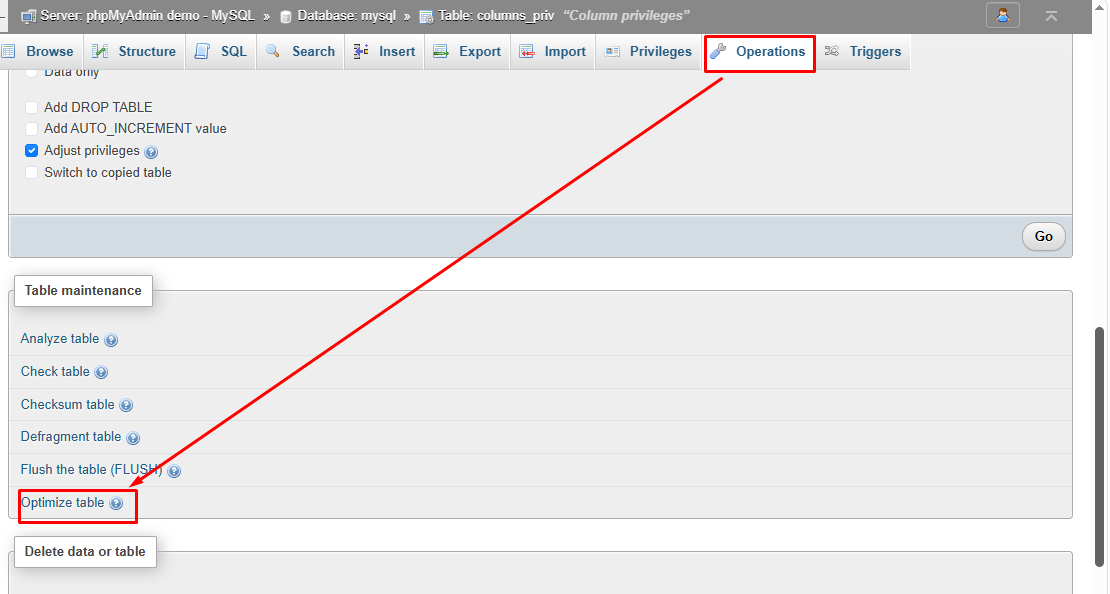
In phpMyAdmin, the repair option does not support resolving corrupted InnoDB tables. If you try to do so, you will get the error: “The storage engine for the table doesn't support repair.” For InnoDB tables, you can use the 'Optimize table option in phpMyAdmin. For this, click the Operations tab and then select 'Optimize table' under the Table Management section.
If this fails to repair InnoDB tables, you can use innodb_force_recovery or other third-party repair tools.
When phpMyAdmin can't Fully Repair MySQL Database/Tables?
The repair option in phpMyAdmin is effective for MyISAM table corruption in most cases. However, it may not help you:
- If you want to repair InnoDB tables
- If you try to repair large-sized database tables
- If tables are severely corrupted
Alternative Tool to Repair Corrupted MySQL Database
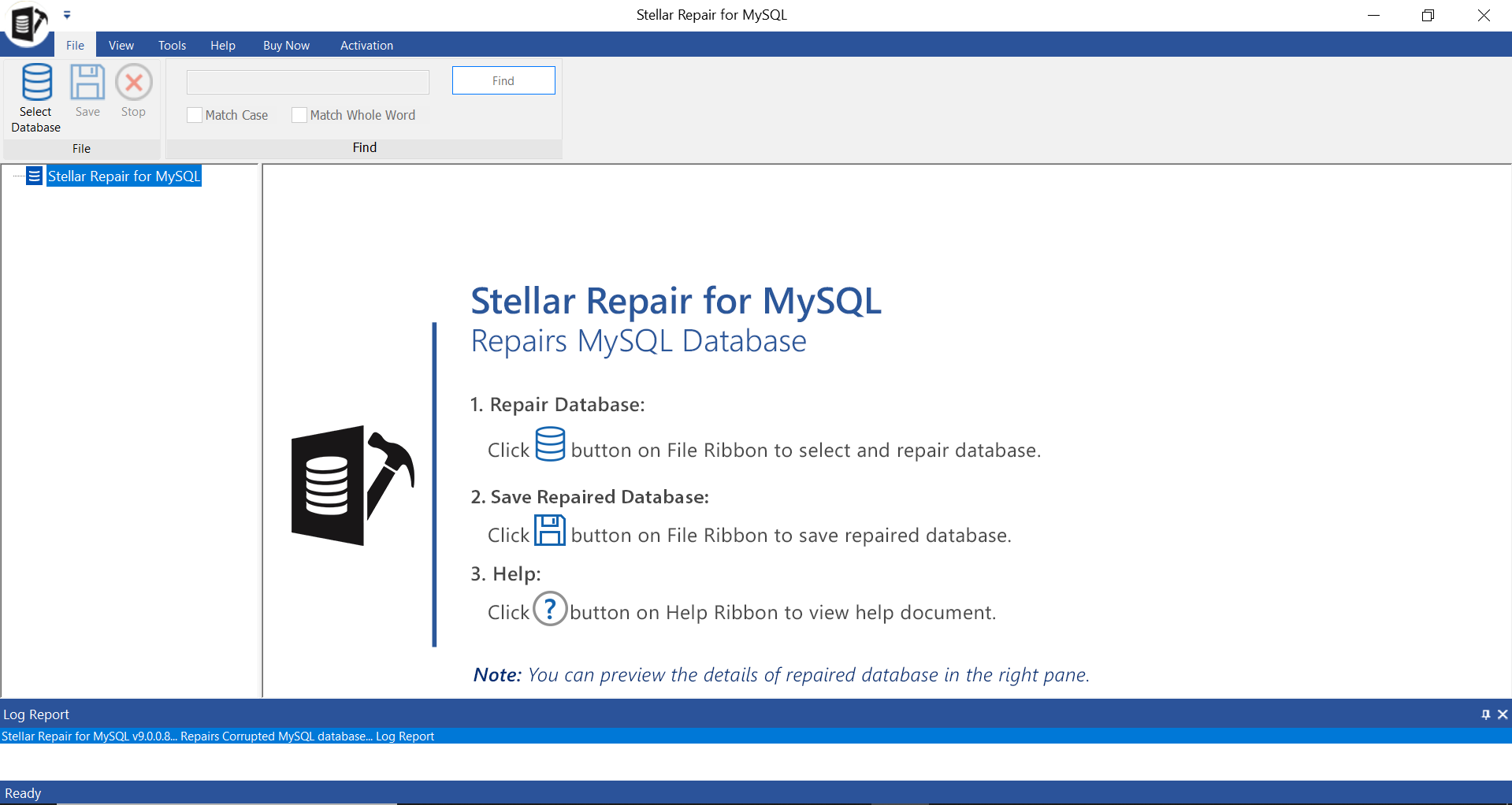
If phpMyAdmin fails to repair a MySQL database, you can use a third-party MySQL repair tool, such as Stellar Repair for MySQL. It can quickly repair highly corrupted MySQL database files without any file size limitations. It can also repair both InnoDB and MyISAM tables. You can even repair multiple tables in a single go. It maintains data integrity while repairing the corrupt databases. It helps resolve all corruption-related errors in MySQL/MariaDB databases.
Conclusion
You can use phpMyAdmin to repair and restore damaged MySQL databases, as explained above. The repair option supports only MyISAM tables. For InnoDB tables, you should restore from a backup or use a professional MySQL repair tool, such as Stellar Repair for MySQL, which can recover all data from corrupted InnoDB and MyISAM tables without loss.


Comments (0)