

Introduction
AI coding tools have quickly evolved from simple code-completion assistants into AI coding agents capable of understanding repositories, editing multiple files, running terminal commands, fixing bugs, writing tests, and completing multi-step development tasks.
Two tools that frequently come up in this conversation are Claude Code and Cursor.
Although both can help developers build software faster, they approach AI-assisted development differently.
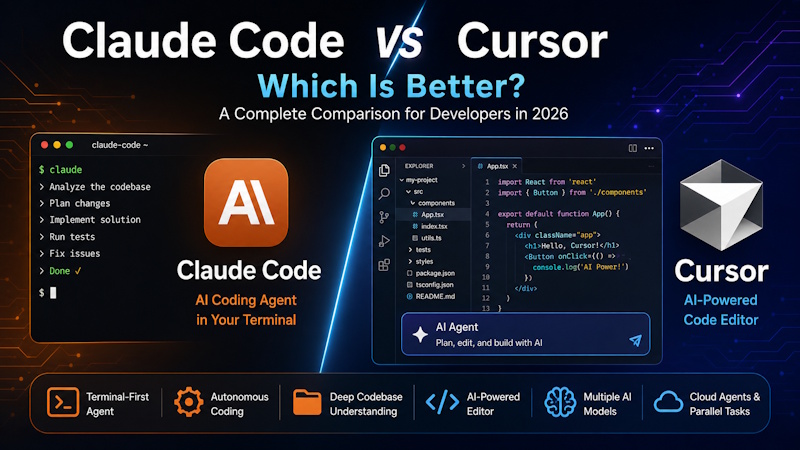
Claude Code is Anthropic's agentic coding tool built around working with Claude directly on a codebase. It began as a terminal-focused experience and has expanded across IDE, web, and other development workflows.
Cursor, on the other hand, provides an AI-first development environment centered around an editor experience, while also supporting agents, CLI workflows, cloud agents, multiple AI model providers, and other development tools.
So, which should you choose?
The short answer is:
Cursor is generally the better choice if you want an AI-first editor for everyday interactive development, while Claude Code is particularly compelling if you prefer terminal-driven, agentic workflows and want to delegate larger engineering tasks to Claude.
However, the difference is becoming less clear as both products continue to expand their agent capabilities.
In this Claude Code vs Cursor comparison, we'll examine their features, coding experience, autonomous capabilities, debugging, codebase understanding, integrations, pricing considerations, and ideal use cases.
What Is Claude Code?
Claude Code is an agentic coding tool developed by Anthropic that allows developers to work with Claude directly on software projects.
Rather than simply suggesting the next few lines of code, Claude Code can work through larger development tasks.
Depending on the task and permissions provided, it can:
- Read and search a codebase
- Modify files
- Write new code
- Run terminal commands
- Execute tests
- Debug problems
- Refactor existing applications
- Work with Git workflows
- Create implementation plans
- Use external development tools
- Coordinate specialized subagents
Anthropic describes Claude Code as an agentic coding tool that operates in the developer's terminal and repository. Current workflows also extend beyond the command line through IDE and other integrations.
A simplified workflow might look like:
Developer Request
       ↓
Claude Code
       ↓
Understand Repository
       ↓
Create Plan
       ↓
Edit Files
       ↓
Run Commands / Tests
       ↓
Evaluate Results
       ↓
Fix Problems
       ↓
Final Implementation
This makes Claude Code closer to an AI software engineering agent than a traditional autocomplete tool.
If you're unfamiliar with this concept, our guide on What Are AI Agents? Complete Beginner's Guide explains how autonomous AI agents work.
What Is Cursor?
Cursor is an AI-focused development environment designed to integrate artificial intelligence deeply into the software development workflow.
Instead of switching constantly between an external AI chatbot and your development environment, developers can use AI directly while working with their project.
Cursor's Agent can search a codebase, edit multiple files, execute terminal commands, build features, refactor code, write tests, and attempt to fix errors autonomously.
Cursor also supports multiple AI models rather than being tied to one model family. Its current model ecosystem includes models from multiple providers alongside Cursor's own models.
A typical Cursor workflow looks like:
Developer
    ↓
Cursor Editor
    ↓
AI Agent
    ↓
Search Codebase
    ↓
Edit Multiple Files
    ↓
Run Commands
    ↓
Review Changes
    ↓
Continue Coding
Cursor has also expanded beyond local editor-based development. Its Cloud Agents can work on software tasks remotely, including parallel and longer-running workflows.
We have separately compared Cursor with another popular AI programming assistant in Cursor AI vs GitHub Copilot.
Claude Code vs Cursor: Quick Comparison
Here's a high-level comparison.
| Feature | Claude Code | Cursor |
|---|---|---|
| Primary experience | Agentic coding environment | AI-first code editor |
| Terminal workflow | Excellent | Strong |
| IDE experience | Available | Core strength |
| Codebase understanding | Excellent | Excellent |
| Multi-file editing | Yes | Yes |
| Terminal commands | Yes | Yes |
| Autonomous coding | Excellent | Excellent |
| Code completion | Not the primary focus | Major feature |
| Multiple model choices | Primarily Claude ecosystem | Multiple model providers |
| Cloud/remote agents | Available through broader Claude workflows | Strong Cloud Agents |
| Subagents | Yes | Agent-based workflows |
| MCP support | Yes | Yes |
| Best suited for | Agentic/terminal-heavy development | Everyday AI-first coding |
The most important difference is therefore not simply which tool can generate better code.
It is how you prefer to work with AI while developing software.
Claude Code vs Cursor: Key Differences
1. Development Experience
One of the biggest differences between Claude Code and Cursor is their development philosophy.
Claude Code
Claude Code is highly suited to developers who are comfortable working from a terminal and delegating complete tasks.
For example:
Investigate why authentication fails after token refresh,
identify the root cause, implement a fix, add tests,
and verify the existing authentication tests still pass.
Claude Code can inspect the project, create a plan, modify files, run commands, and iterate on the solution.
The experience can feel like assigning work to another developer.
Cursor
Cursor is more naturally integrated into everyday editor-driven development.
You can:
- Browse files
- Write code manually
- Ask AI questions
- Generate code
- Edit existing code
- Review AI-generated diffs
- Use code completion
- Delegate larger jobs to Agent
- Run terminal commands
Because these capabilities live within the development environment, Cursor can feel natural for developers who spend most of their day inside an IDE.
Winner: Depends on workflow
Cursor has an advantage for developers who want AI integrated throughout their normal editor experience.
Claude Code is particularly attractive for developers who prefer agent-first or terminal-heavy workflows.
2. Code Generation
Both Claude Code and Cursor can generate substantial amounts of code.
For example, you could ask either tool:
Create a REST API endpoint for updating customer information.

Requirements:
- Validate the request
- Update the database
- Return appropriate HTTP status codes
- Add unit tests
- Follow the existing architecture
Instead of simply generating an isolated function, an AI coding agent can inspect the existing application and attempt to implement the feature consistently.
Claude Code benefits directly from Anthropic's current Claude models. Anthropic says Claude Sonnet 5 improves areas including reasoning, tool use and coding compared with its predecessor.
Cursor's advantage is flexibility. Developers can select from models provided by several AI companies as well as Cursor models.
Winner: Tie
For many projects, both are highly capable.
Choose based on whether you prefer Claude-centric agentic development or the ability to switch between different models within an AI editor.
3. Understanding Large Codebases
Writing a small function is easy for most modern AI coding tools.
Understanding a large application is considerably harder.
Imagine working with:
Frontend
 ├── React
 ├── TypeScript
 └── Components

Backend
 ├── .NET API
 ├── Services
 └── Authentication

Database
 ├── SQL
 └── Stored Procedures

Infrastructure
 ├── Docker
 └── CI/CD
You might ask:
"Find everything affected if we change the customer identifier from an integer to a UUID."
The AI must search across multiple layers of the application and understand relationships between them.
Both Claude Code and Cursor are designed to explore repositories rather than considering only the currently open file.
Claude Code's project configuration, planning capabilities, skills, subagents and repository-level workflow make it particularly useful for complex repository analysis.
Cursor Agent similarly searches across the codebase and determines which files need to be read and modified.
Winner: Tie
Both tools are strong for repository-level work, although results can vary significantly based on the project, model, prompt, context and task complexity.
4. Autonomous Coding
This is where the Claude Code vs Cursor comparison becomes especially interesting.
Modern AI coding tools increasingly operate as agents rather than simple assistants.
An autonomous coding workflow could be:
Task
 ↓
Analyze Requirements
 ↓
Inspect Repository
 ↓
Plan Implementation
 ↓
Modify Files
 ↓
Run Tests
 ↓
Detect Errors
 ↓
Fix Errors
 ↓
Re-run Tests
 ↓
Return Results
Claude Code was explicitly designed around this agentic development model.
Cursor has moved heavily in the same direction. Cursor's Cloud Agents can handle longer-running work, and its platform supports multiple agents working on development tasks.
This trend is also connected to multi-agent AI, where specialized agents collaborate on complex tasks.
For more on that architecture, read Multi-Agent Systems: Architecture and Real-World Use Cases.
Winner: Very close
Both platforms now offer serious agentic capabilities.
Claude Code has a strong agent-first identity, while Cursor combines autonomous agents with a broader editor-based development environment.
5. Debugging
Consider a developer encountering this problem:
Users are occasionally logged out immediately after
their access token is refreshed.
A useful AI coding agent needs to do more than suggest generic debugging steps.
It may need to:
- Search authentication code.
- Inspect token refresh logic.
- Trace API calls.
- Examine logs.
- Find the likely race condition.
- Modify the implementation.
- Run relevant tests.
- Confirm that the fix works.
Claude Code is well suited to this kind of investigation because it can work with repository files and command-line development tools.
Cursor Agent can similarly explore the codebase, modify multiple files, run commands, and attempt to fix errors automatically.
Winner: Tie
For complex debugging, the quality of the underlying model and the amount of relevant context available can matter more than the product name itself.
6. Code Refactoring
Large refactoring tasks are another area where AI coding agents can provide significant value.
Suppose you want to:
"Replace the old authentication service with the new identity provider across the entire application."
This could involve dozens of files.
A capable coding agent needs to:
- Find dependencies
- Understand existing architecture
- Identify affected components
- Update interfaces
- Modify implementations
- Update configuration
- Fix tests
- Run the application
- Resolve compilation errors
Claude Code is particularly well suited to delegating such repository-level engineering tasks.
Cursor also supports multi-file refactoring through its Agent experience.
Winner: Claude Code by a small margin for agent-first workflows
For developers who want to delegate a large refactoring task and allow the agent to work through it iteratively, Claude Code can be particularly compelling.
For developers who prefer reviewing and steering changes continuously inside an editor, Cursor may feel more comfortable.
7. IDE Experience
This is one area where the difference is clearer.
Cursor is fundamentally designed around an AI-powered editor.
AI functionality is integrated throughout the development experience.
This includes:
-
AI-assisted editing
-
Code completion
-
Agent interactions
-
Repository navigation
-
Diff review
-
Terminal access
-
Model selection
Claude Code now offers richer IDE integrations as well. Anthropic introduced a native VS Code experience with inline diffs and a graphical interface alongside its terminal workflow.
However, Cursor's editor remains central to the product experience.
Winner: Cursor
If your priority is a polished, AI-first editor, Cursor is the stronger choice.
8. Terminal Experience
The situation reverses when terminal-driven development is the priority.
Claude Code was designed around working directly from a developer's terminal and repository.
This makes it particularly attractive for developers who frequently use:
Git
Docker
npm
dotnet
Python
Shell scripts
Build tools
Testing frameworks
Cloud CLIs
Claude Code can incorporate these tools into its workflow.
Cursor also offers CLI capabilities, but its broader experience remains strongly connected to its AI development environment.
Winner: Claude Code
For developers who prefer terminal-first AI coding, Claude Code is the more natural choice.
9. AI Model Flexibility
This is an important difference.
Claude Code is naturally built around Anthropic's Claude models.
Cursor allows developers to choose among multiple model providers. Its current documentation lists models from Anthropic, OpenAI, Google, SpaceXAI and Cursor.
This means a Cursor user can potentially choose different models for different development tasks.
For example:
Quick coding task
        ↓
Fast / lower-cost model

Complex architecture task
        ↓
Higher-capability reasoning model

Large refactoring
        ↓
Agent-oriented model
This flexibility can be useful for developers who don't want to commit to a single model ecosystem.
Winner: Cursor
For model choice and flexibility, Cursor has the advantage.
10. MCP and External Tools
Modern coding agents increasingly need access to external information and development tools.
The Model Context Protocol (MCP) has become one mechanism for connecting AI applications to external tools and data.
Claude Code supports MCP integrations alongside plugins, skills and other extensibility mechanisms.
Cursor also includes MCP support in its current paid developer plans.
This means developers can potentially connect coding agents with services such as:
- Databases
- Documentation
- Developer tools
- Internal systems
- Cloud services
- APIs
Winner: Tie
Both ecosystems provide ways to extend their agents beyond basic code generation.
11. Multi-Agent Development
AI development is increasingly moving toward multiple specialized agents.
Instead of one AI handling everything, a workflow might use:
              Lead Agent
                  |
      -------------------------
      |           |           |
 Developer    Testing      Security
   Agent       Agent        Agent
      |           |           |
      -------------------------
                  |
             Final Code
Anthropic's Claude Code workflows support subagents and patterns for scaling from a single coding agent to multiple agents.
Cursor has also invested heavily in parallel and cloud-agent workflows. Its platform describes the ability to launch fleets of agents that can work on development tasks concurrently.
Winner: Tie
This area is evolving quickly, and both products are moving beyond the traditional one-developer/one-assistant model.
12. Claude Code vs Cursor Pricing
Pricing is more complicated than simply comparing monthly subscription prices because AI coding tools increasingly combine subscription tiers with usage limits or consumption-based usage.
Cursor currently offers several individual tiers, including a free Hobby plan and paid tiers such as Pro, Pro+ and Ultra. Its documentation lists Pro at $20 per month, with higher tiers providing more included agent/model usage.
Claude Code access depends on the Claude subscription or API/enterprise arrangement being used. Anthropic has also continued changing Claude Code usage limits as capacity and plans evolve.
Because pricing, included usage and model availability can change, developers should check the current official pricing before subscribing.
Claude Code official information
Winner: Depends on usage
For occasional users, compare the entry-level subscription and included usage.
For heavy agent users, usage limits and model consumption can matter much more than the advertised monthly price.
Claude Code vs Cursor for Different Development Tasks
| Development Task | Better Choice |
|---|---|
| AI-first IDE | Cursor |
| Terminal-first development | Claude Code |
| Code autocomplete | Cursor |
| Large autonomous tasks | Claude Code / Tie |
| Multiple model providers | Cursor |
| Repository analysis | Tie |
| Multi-file editing | Tie |
| Debugging | Tie |
| Large refactoring | Claude Code |
| Interactive coding | Cursor |
| Agentic development | Tie |
| MCP integrations | Tie |
| Parallel/cloud agents | Cursor / Tie |
| Claude-centric workflow | Claude Code |
Claude Code vs Cursor for Beginners
For developers who are relatively new to AI-assisted programming, Cursor may have the easier learning curve.
The reason is straightforward: it resembles the editor-based workflow developers already understand.
You can open a project, browse files, write code, and gradually use more AI functionality.
Claude Code can require more familiarity with concepts such as:
- Terminal commands
- Repository structure
- Git
- Development environments
- Agent permissions
- Command-line workflows
That doesn't make Claude Code difficult, but experienced developers may get more value from its agentic approach.
Winner for beginners: Cursor
Claude Code vs Cursor for Professional Developers
The answer becomes less obvious for experienced developers.
A professional developer might use Claude Code for:
- Repository-wide analysis
- Complicated debugging
- Refactoring
- Test generation
- Architecture migrations
- Automation
- Terminal workflows
- Long-running engineering tasks
Cursor can be particularly useful for:
- Daily feature development
- Fast code editing
- AI code completion
- Interactive refactoring
- Code exploration
- AI-assisted debugging
- Switching between AI models
- Agent-based implementation
Many developers may therefore find value in using both rather than treating them as mutually exclusive.
Can You Use Claude Code and Cursor Together?
Yes.
This is actually an important point in the Cursor vs Claude Code debate.
You don't necessarily have to choose only one.
A developer could use:
Cursor
   ↓
Daily coding
Autocomplete
Interactive editing
Quick AI questions

        +

Claude Code
   ↓
Complex debugging
Large refactoring
Repository analysis
Agentic automation
The tools can serve different roles in the same development workflow.
For some professional developers, this combination may be more useful than trying to force one product to handle every task.
Claude Code vs Cursor: Pros and Cons
Claude Code Pros
- Strong terminal-based workflow
- Excellent agentic coding capabilities
- Suitable for complex multi-step tasks
- Strong repository-level reasoning
- Useful for debugging and refactoring
- Can run development commands and tests
- Supports MCP, skills, hooks and subagents
- Well suited to experienced developers
Claude Code Cons
- Terminal-first workflows may be less comfortable for beginners
- Primarily tied to the Claude model ecosystem
- Usage limits can matter for heavy development
- Requires careful review when agents perform autonomous actions
Cursor Pros
- Excellent AI-first editor experience
- Strong AI code completion
- Built-in Agent functionality
- Supports multiple AI model providers
- Strong multi-file editing
- Good repository understanding
- Cloud and parallel agent capabilities
- Familiar workflow for IDE users
- Suitable for both beginners and professional developers
Cursor Cons
- Heavy agent usage can increase costs
- Developers need to review large AI-generated changes carefully
- Some advanced features depend on paid tiers or usage allowances
- Developers who prefer pure terminal workflows may prefer Claude Code
Claude Code vs Cursor: Which Is Better?
There is no universal winner because Claude Code and Cursor optimize different parts of the development experience.
Choose Claude Code if you:
- Prefer terminal-based development
- Frequently delegate complex engineering tasks
- Perform large codebase refactoring
- Want deep Claude integration
- Work heavily with command-line development tools
- Prefer an agent-first development workflow
Choose Cursor if you:
- Want an AI-first IDE
- Use AI continuously while writing code
- Want strong code completion
- Prefer graphical diff and editing workflows
- Want access to multiple AI models
- Want an easy transition from traditional IDE development
- Use both interactive and autonomous coding agents
For many developers, the decision can be summarized as:
Cursor is better as an AI-powered everyday coding environment, while Claude Code is particularly strong as an AI engineering agent you can delegate substantial tasks to.
Is Claude Code Better Than Cursor for Large Projects?
It depends on how the project is being developed.
Claude Code can be especially effective when you want the agent to inspect a repository, reason through a problem, make coordinated changes, run tests, and continue working toward a goal.
Cursor can also handle repository-wide tasks, but provides more continuous interaction inside the editor.
For a large enterprise application, a developer might therefore use Cursor during normal feature development and Claude Code for specific large-scale engineering tasks.
The quality of the outcome still depends on factors such as:
- Codebase structure
- Documentation
- Tests
- Prompt quality
- Model selection
- Available context
- Project complexity
Neither tool removes the need for experienced engineering judgment.
Will Claude Code or Cursor Replace Developers?
No AI coding tool should currently be treated as a complete replacement for software engineers.
AI agents can generate impressive amounts of code, but developers still need to make important decisions around:
- Architecture
- Security
- Performance
- Business requirements
- Testing
- Maintainability
- Data protection
- Production deployment
AI coding agents are better understood as tools that can increase the amount of engineering work a developer can accomplish.
Anthropic's 2026 research into roughly 400,000 Claude Code sessions also found an interesting division of work: users tended to make more of the planning decisions while Claude made more execution-level decisions.
That suggests the developer's role is increasingly shifting from writing every line manually toward planning, directing, reviewing and validating AI-generated implementation.
The Future of Claude Code and Cursor
The competition between Claude Code and Cursor reflects a larger transformation in software development.
The first generation of AI coding assistants primarily offered:
Developer writes code
        ↓
AI predicts next lines
The newer generation looks more like:
Developer defines objective
        ↓
AI Agent creates plan
        ↓
AI understands repository
        ↓
AI modifies application
        ↓
AI runs tests
        ↓
AI detects problems
        ↓
AI fixes problems
        ↓
Developer reviews result
The next stage may increasingly involve multiple agents working together:
Developer
    ↓
Lead AI Agent
    ↓
--------------------------------
|              |               |
Coding       Testing        Security
Agent         Agent          Agent
--------------------------------
    ↓
Reviewed Implementation
Cursor's recent work on long-running cloud agents and Anthropic's development of subagent and agentic workflows both point in this direction.
This makes the broader transition toward agentic software development more significant than any single product comparison.
Final Verdict: Claude Code vs Cursor
So, which is better: Claude Code or Cursor?
For most developers looking for an AI-first editor that they can use throughout the working day, Cursor is likely the better overall choice.
It combines traditional development, AI code completion, repository understanding, model choice, agent workflows, terminal access, and increasingly capable cloud agents within one environment.
However, Claude Code is an excellent choice for developers who want a powerful agentic coding workflow, particularly for terminal-based development, complex debugging, large refactoring projects, repository-wide changes, and tasks that can be delegated to an AI agent.
Our overall recommendation is:
Best AI-first editor: Cursor
Best terminal-first coding agent: Claude Code
Best for code completion: Cursor
Best for model flexibility: Cursor
Best for delegated engineering workflows: Claude Code
Best for large refactoring: Claude Code
Best for everyday interactive development: Cursor
Best overall choice for most developers: Cursor
Best strategy for advanced developers: Consider using both
The bigger story isn't simply Claude Code vs Cursor. Both products show how quickly software development is moving from basic AI autocomplete toward autonomous and multi-agent engineering workflows.
As these tools continue to improve, developers who learn how to plan tasks clearly, provide useful context, supervise AI agents, review generated code, and validate results are likely to get the greatest productivity gains.
Frequently Asked Questions
Is Claude Code better than Cursor?
Claude Code can be better for terminal-heavy workflows, complex repository tasks, large refactoring, and agentic development. Cursor is generally better for developers who want an integrated AI-first editor with code completion, interactive editing, multiple model choices, and autonomous agents.
Is Cursor better than Claude Code for beginners?
Cursor is generally easier for beginners because its editor-based interface is closer to a traditional development environment. Developers can gradually introduce AI into their existing coding workflow.
Can Claude Code edit multiple files?
Yes. Claude Code can inspect and modify multiple files while working through repository-level development tasks.
Can Cursor run terminal commands?
Yes. Cursor Agent can run terminal commands as part of its development workflow.
Does Cursor support Claude models?
Yes. Cursor supports models from multiple providers, including Anthropic, although exact model availability can change over time.
Does Claude Code support MCP?
Yes. Claude Code supports MCP connectors as part of its extensibility and agent workflows.
Which is better for large codebases: Cursor or Claude Code?
Both can work with large repositories. Claude Code is particularly attractive for delegated repository-wide tasks, while Cursor provides strong codebase understanding within an interactive editor workflow.
Can I use Claude Code and Cursor together?
Yes. Developers can use Cursor for everyday coding, completion, and interactive editing while using Claude Code for complex agentic tasks, debugging, repository analysis, and large refactoring work.
Which is the best AI coding tool in 2026?
There is no single tool that is best for every developer. Cursor is one of the strongest choices for an integrated AI coding environment, while Claude Code is particularly strong for agentic and terminal-based software development.


Comments (0)